
How to Open a Mutual Fund Account Online: KYC Check and Documents
By Aviral Singh
About the Author
Aviral Singh is an MBA student at IIM Guwahati and a CSIR NET (JRF) qualifier with an M.Sc. from Hansraj College. A former Physics Wallah educator, he creates content on campus life and writes on finance, investments, businesses and education.
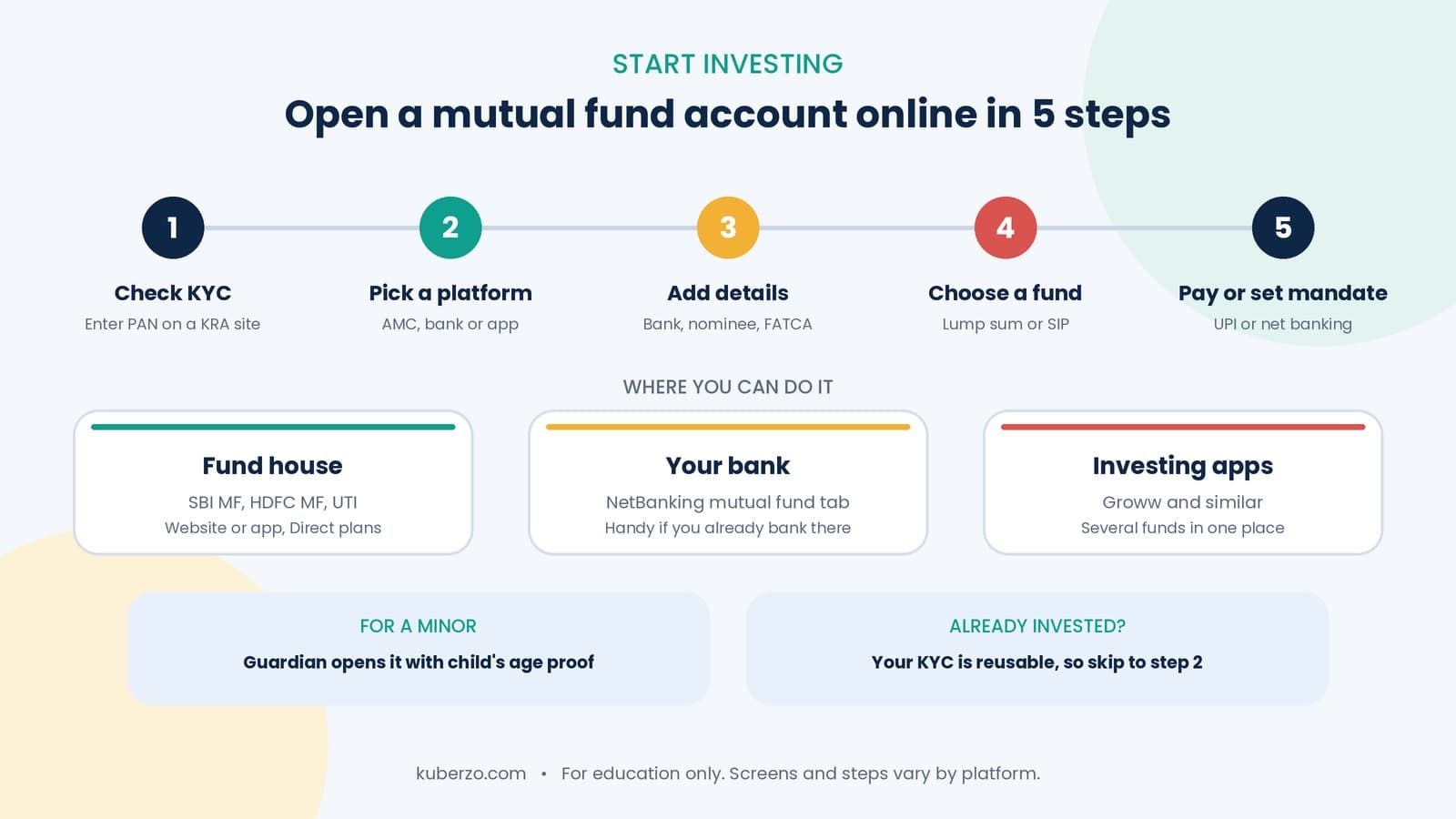
How to open a mutual fund account online in 5 steps: check your KYC, keep documents ready, then start a SIP through SBI, HDFC or the Groww app, or open one for a minor.
To open a mutual fund account online, first check that your KYC is Validated, then choose a platform (fund house website or app, your bank’s NetBanking, or an investing app), add your bank details and nominee, pick a fund, and pay or set up an auto-debit mandate. You don’t open a separate account with each fund house. Your first investment creates a folio.
What do you need before you start?
PAN card (mandatory)
Aadhaar, with a mobile number linked to it
A bank account with net banking or UPI
A passport-size photo and your signature, for KYC if it’s not done
An active mobile number and email
Step 1: Do a KYC check for MF
Before anything else, check whether your KYC already exists. This takes under a minute with your PAN.
Open a SEBI-registered KRA website (CAMS, KFin, CVL, NDML or DotEx), or a fund house or RTA KYC page.
Go to KYC Inquiry or KYC Status.
Enter your PAN and the captcha.
Read your status.
Status | What it means | Next step |
|---|---|---|
KYC Validated | Fully verified | Go to Step 2 |
KYC Registered | Partly verified | Usually fine for fund houses you already use; upgrade for a new one |
KYC On Hold or Rejected | A problem was found | Fix the reason shown, then resubmit |
No record | KYC not done | Complete KYC first |
Step 2: Complete KYC if it’s missing
If your KYC doesn’t exist or isn’t validated, complete it online with your PAN, Aadhaar OTP or DigiLocker, a photo and a signature. KYC is one-time and works for every SEBI-registered fund house.
Step 3: Choose where to open your account
Option | Examples | Good for |
|---|---|---|
Fund house website or app | SBI Mutual Fund, HDFC Mutual Fund, UTI Mutual Fund | Investing in one fund house’s schemes, usually in Direct plans |
Your bank’s NetBanking | HDFC Bank, SBI and others | Customers who already bank there and want a familiar login |
Investing apps | Groww and similar | Browsing many fund houses in one place |
There is no single best option. Pick the one where you’re comfortable and where your chosen fund is available.
Step 4: Add your details
Register with your mobile number and email, verified by OTP.
Add your bank account. Use the account you’ll pay from and receive money in.
Complete the FATCA/CRS declaration about your tax residency.
Add a nominee, or follow the platform’s opt-out process.
Step 5: Choose a fund and invest
Select the scheme, then choose:
Lump sum or SIP. Kuberzo’s SIP vs Lump Sum guide can help you decide.
Growth or IDCW. Growth is more common for long-term investing.
Direct or Regular plan. Direct plans have lower costs.
Step 6: Pay or set up your SIP mandate
For a lump sum, pay by UPI or net banking. For a SIP, approve an auto-debit mandate (UPI AutoPay, eNACH or net banking). Your first investment creates your folio, and you’ll receive a confirmation with the folio number. Save it.
How to open a SIP account in SBI
“SBI SIP” usually means a SIP in an SBI Mutual Fund scheme, through SBI Mutual Fund’s website or app, or through the YONO SBI app.
Confirm KYC is Validated.
Choose a channel: SBI Mutual Fund website or app, or YONO SBI.
Select the scheme and choose SIP.
Enter the amount, date and frequency.
Approve the mandate through net banking, UPI or OTP.
SBI’s YONO page lists JanNivesh SIP for small investors.
How to open a SIP account in HDFC
There are two common routes:
HDFC Mutual Fund website or app:
Log in with your User ID and PAN using an OTP, or register as a new investor.
Go to Transact and choose SIP.
Select your folio (or create a new one), the scheme, amount, frequency and dates.
Review and complete the transaction, then approve the bank mandate.
HDFC Bank NetBanking:
Log in to NetBanking.
Open the Mutual Funds section, which HDFC Bank promotes as its InvestNow platform.
Choose your fund and SIP details, and confirm.
Menus change from time to time, so follow the on-screen prompts.
How to invest in SIP through the Groww app
Download the app and sign up with your mobile number.
Complete KYC (PAN, Aadhaar and bank account).
Open Mutual Funds and search for your fund.
Select Monthly SIP, enter the amount and choose the date.
Set up AutoPay (UPI AutoPay or eNACH) and confirm.
Check the fund’s exit load on its page before you confirm.
How to open a mutual fund for a minor
A minor can own a folio, but a parent or court-appointed legal guardian must operate it.
Requirement | Details |
|---|---|
Account holder | The minor, with the guardian managing it |
Child’s documents | Age proof such as a birth certificate, passport or school certificate |
Guardian’s documents | KYC (PAN, address proof), photo and proof of relationship |
Bank account | Minor’s account, or a joint account with the guardian |
At age 18 | Fresh KYC, updated bank details and a minor-to-major status change |
If the child turns 18 and the folio isn’t updated, it can be frozen until the paperwork is done. For goals like education, Kuberzo’s Goal Based Planner can help you plan.
Common mistakes when opening a mutual fund account online
Mistake 1: Skipping the KYC check. You may already be Validated and not need to redo it.
Mistake 2: Name mismatch across PAN, Aadhaar and bank account.
Mistake 3: Using an Aadhaar-unlinked mobile number. The OTP will not arrive.
Mistake 4: Not checking exit load, expense ratio and plan type before investing.
Mistake 5: Using unofficial links or sharing OTPs. Use only official websites and apps.
Mistake 6: Forgetting the nominee. It makes claims harder later.
So, how should you get started?
Check your KYC with your PAN, pick one platform you trust, and start with an amount you can sustain. You can always add more funds later using the same KYC.
For comparing products, Kuberzo’s ETF vs Mutual Fund guide is a useful read.
Financial disclaimer
This article is for general education and does not constitute personal investment or tax advice. KYC and account-opening requirements are set by SEBI and fund houses and can change. App and website steps may differ from those described here. Mutual fund investments are subject to market risks; read all scheme-related documents carefully. Consult a qualified financial or tax professional before making investment decisions.
Frequently Asked Questions
Q: How do I open a mutual fund account online?
Check or complete your KYC with your PAN, choose a platform, add bank and nominee details, pick a fund, then pay or set up a SIP mandate. Your first investment creates the folio.
Q: How do I do a KYC check for MF?
Enter your PAN on a KRA website or a fund house KYC page. The status shows as Validated, Registered, On Hold or Rejected.
Q: Do I need a demat account to invest in mutual funds?
No. You can hold mutual fund units in a folio without a demat account.
Q: How do I open a SIP account in SBI or HDFC?
Use the fund house website or app, or your bank’s NetBanking or YONO. Select SIP, enter amount and date, and approve the auto-debit mandate.
Q: Can I open a mutual fund account for my child?
Yes. A parent or legal guardian can open it in the minor’s name with the child’s age proof and the guardian’s KYC and relationship proof.
Q: Is my KYC valid across all fund houses?
Once Validated, it can be used with all SEBI-registered fund houses. A Registered status may need an upgrade for new fund houses.